Dog groomer booking software that asks about the dog
Lo-Cal, the booking calendar by Busifier, starts every groomer with the questions you would ask on the phone: the dog's name, breed and size. Customers pick a time, and you see who is coming before you say yes.
What Lo-Cal does not do for dog groomers
When another tool fits better: if you need deposits to stop no-shows, a waitlist, or a calendar for each groomer, a groomer-specific tool may suit you better today. Lo-Cal keeps one calendar per business and sends email, not texts.
Set up for dog groomers
These are your starting settings. Change any of them, and give each service its own length.
| Setting | Salon groomer | Mobile groomer |
|---|---|---|
| Appointment length | 90 minutes | 90 minutes |
| Break after each appointment | 15 minutes | 30 minutes |
| Earliest booking | 1 day ahead | 1 day ahead |
| Start times every | 30 minutes | 30 minutes |
| Books up to | 60 days ahead | 60 days ahead |
| Confirming | You confirm each request, or turn on automatic confirming | You confirm each request, or turn on automatic confirming |
What customers answer when they book
Every booking asks for a name, a phone number and an email. On top of that:
| Question | Salon groomer | Mobile groomer |
|---|---|---|
| Pet's name | Required | Required |
| Breed | Optional | Optional |
| Size (Small, Medium, Large, Extra large) | Optional | Optional |
| Address for the job | Not asked | Required |
What it looks like on a phone
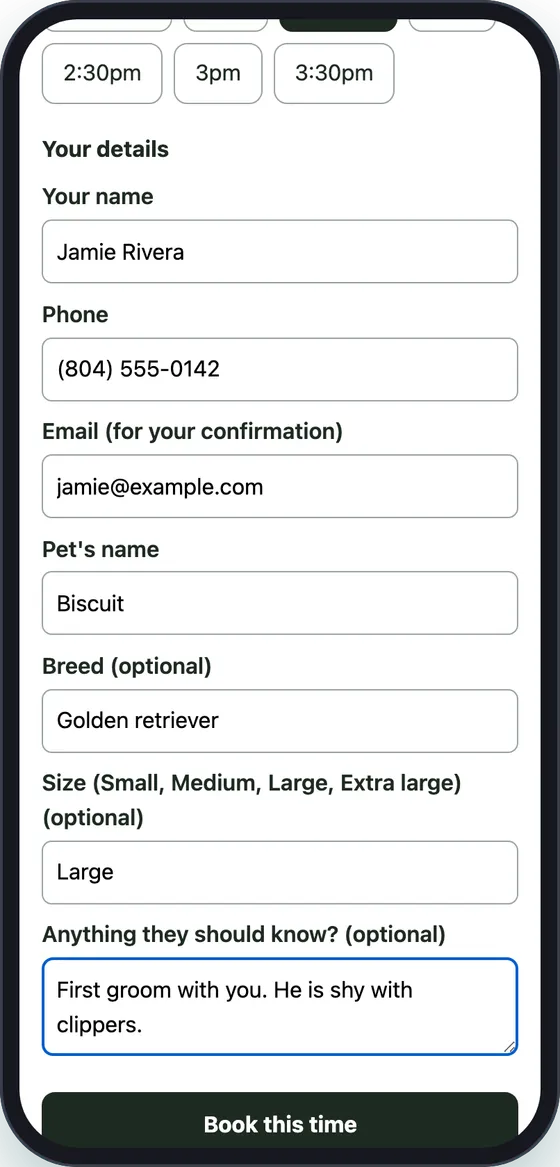
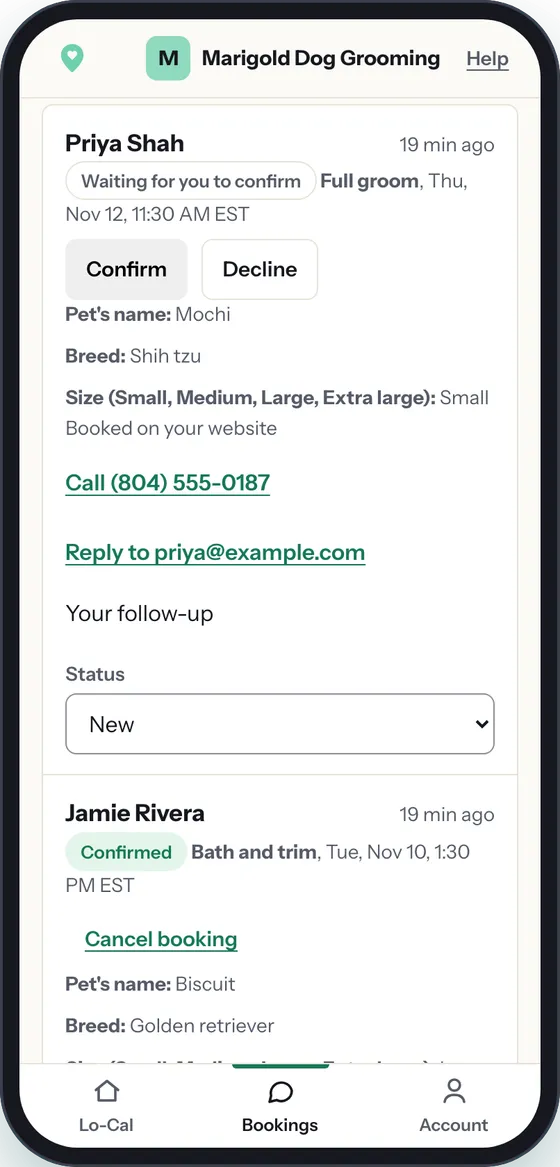
Example business: Marigold Dog Grooming is fictional, and these are screenshots of Lo-Cal on a phone. Your page asks your own trade's questions, shown in the table above.
How a booking works for dog groomers
A customer picks a 90-minute bath and trim on Tuesday at 10:00, types Biscuit, golden retriever, large, and sends it. You get an email with Confirm and Decline. Tap Confirm, and the customer gets a calendar invite with links to change the time or cancel.
Not sure a large dog fits that slot? Tap Decline, and the customer is asked to pick another time. Mobile groomers see the job address on every request, and the 30-minute break after each appointment leaves time to drive.
A Calendly alternative set up for dog groomers
| Lo-Cal by Busifier | Calendly Standard | |
|---|---|---|
| Billed monthly | $9.60 a month plus applicable sales tax | $12 a seat a month |
| Billed yearly | $96 a year plus applicable sales tax | $10 a seat a month, billed yearly ($120 a year) |
| Priced per | Business, with one calendar | Seat (each person) |
| Card payments or deposits at booking | No | Yes (Stripe or PayPal) |
See the full Lo-Cal vs Calendly comparison, including when Calendly is the better pick.
Put it on your site
Your booking page has its own address, busifier.com/book/your-business. Put the link in your Instagram bio and your Google Business Profile, or paste one line of code into Wix, Squarespace or WordPress where you want the calendar to show.
Paste your Google, Outlook or iCloud calendar link and Lo-Cal hides the times you are already busy. Each confirmed booking reaches your calendar as an invite.
Price
Lo-Cal on its own
Or $96 a year plus applicable sales tax. One price per business, no setup fee. Cancel anytime, and download your bookings anytime.
Free for 7 days. A card is needed to start; cancel before day 7 and you pay nothing. We email you 2 days before your trial ends.
$9.60 a month plus applicable sales tax (or $96 a year plus applicable sales tax) after the trial.
With a Busifier website
Booking is included at no extra cost. Busifier builds your whole website, and you pay $0 until your approved site is live.
Questions dog groomers ask
Can customers tell me the dog's size before I accept?
Yes. Customers pick small, medium, large or extra large, and you see it on the request before you confirm.
Can I leave driving time between mobile appointments?
Yes. Mobile groomers start with a 30-minute break after each appointment. You can set it to none, 15 or 30 minutes.
Can a customer book two dogs?
Each booking is one appointment. A customer with two dogs can book a longer service or two times, and add a note.
Related
- Lo-Cal for dog trainers
- Busifier websites by trade
- Lo-Cal vs Calendly, with prices as listed on calendly.com Nov 3 2026
- Lo-Cal pricing, and booking included with a Busifier website
- Lo-Cal booking calendar: all trades
Lo-Cal is also set up for: barbers, mobile detailers, lash artists, braiders, massage therapists, dog trainers, tutors, lawn care and cleaning.